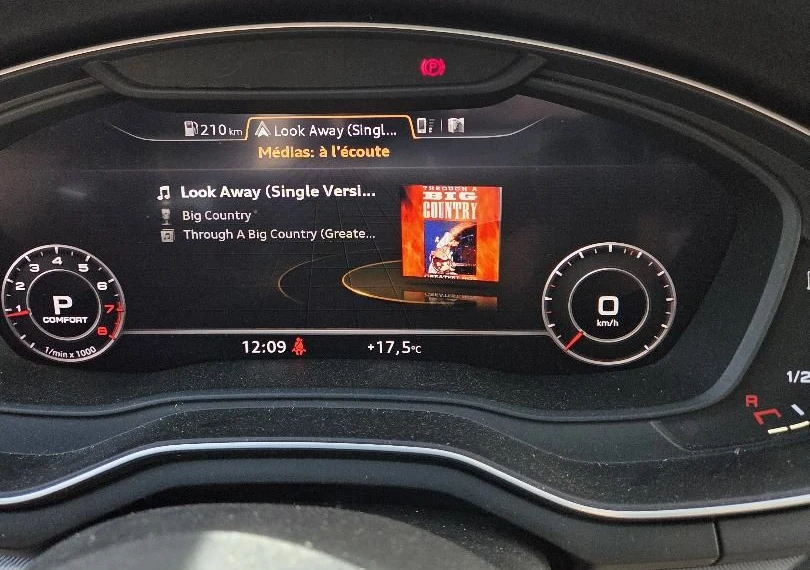
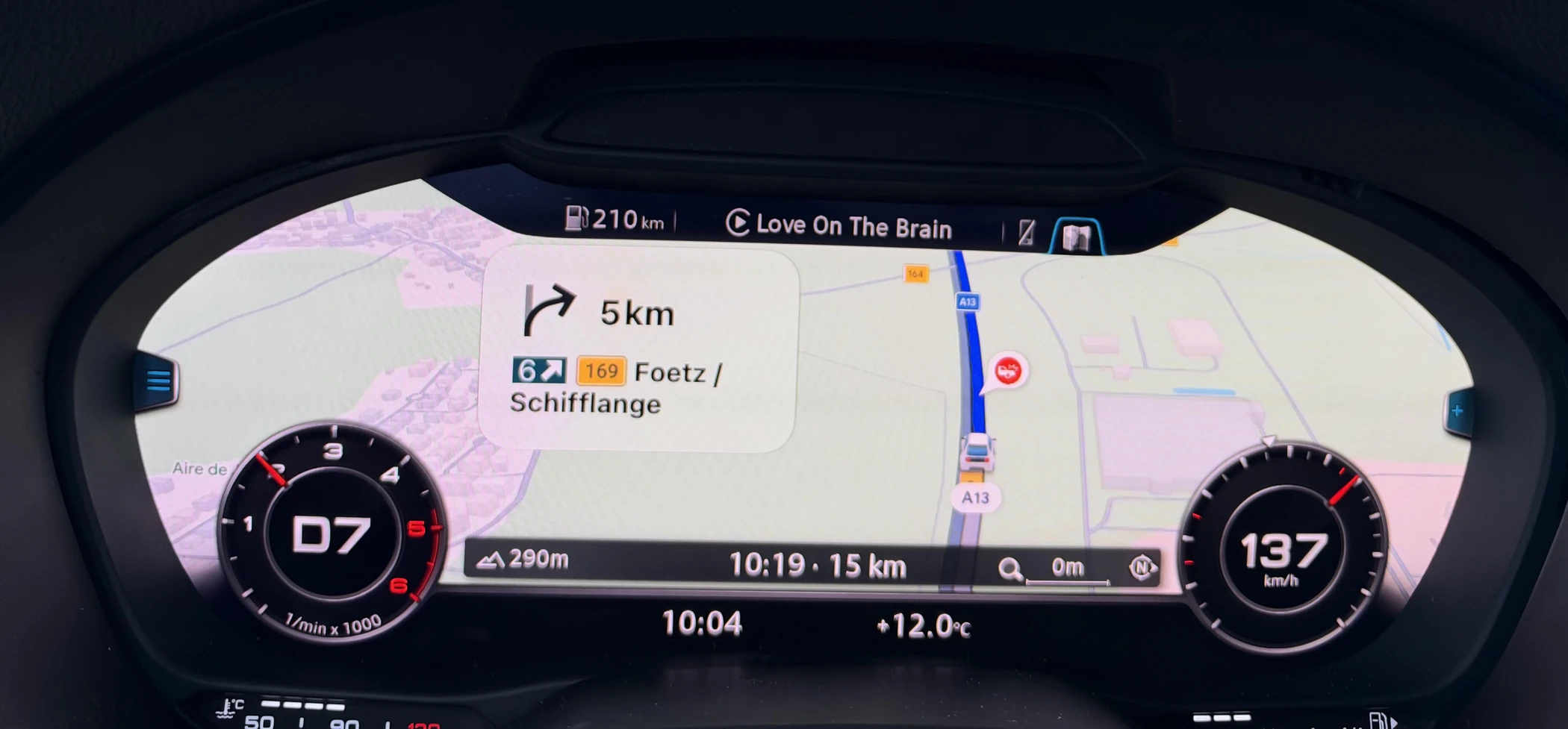
Navigation guidance
Turn cards, the next street and the remaining distance appear in the original navigation area.
Your phone’s navigation in the Virtual Cockpit. Turn guidance on the factory head-up display in equipped cars.
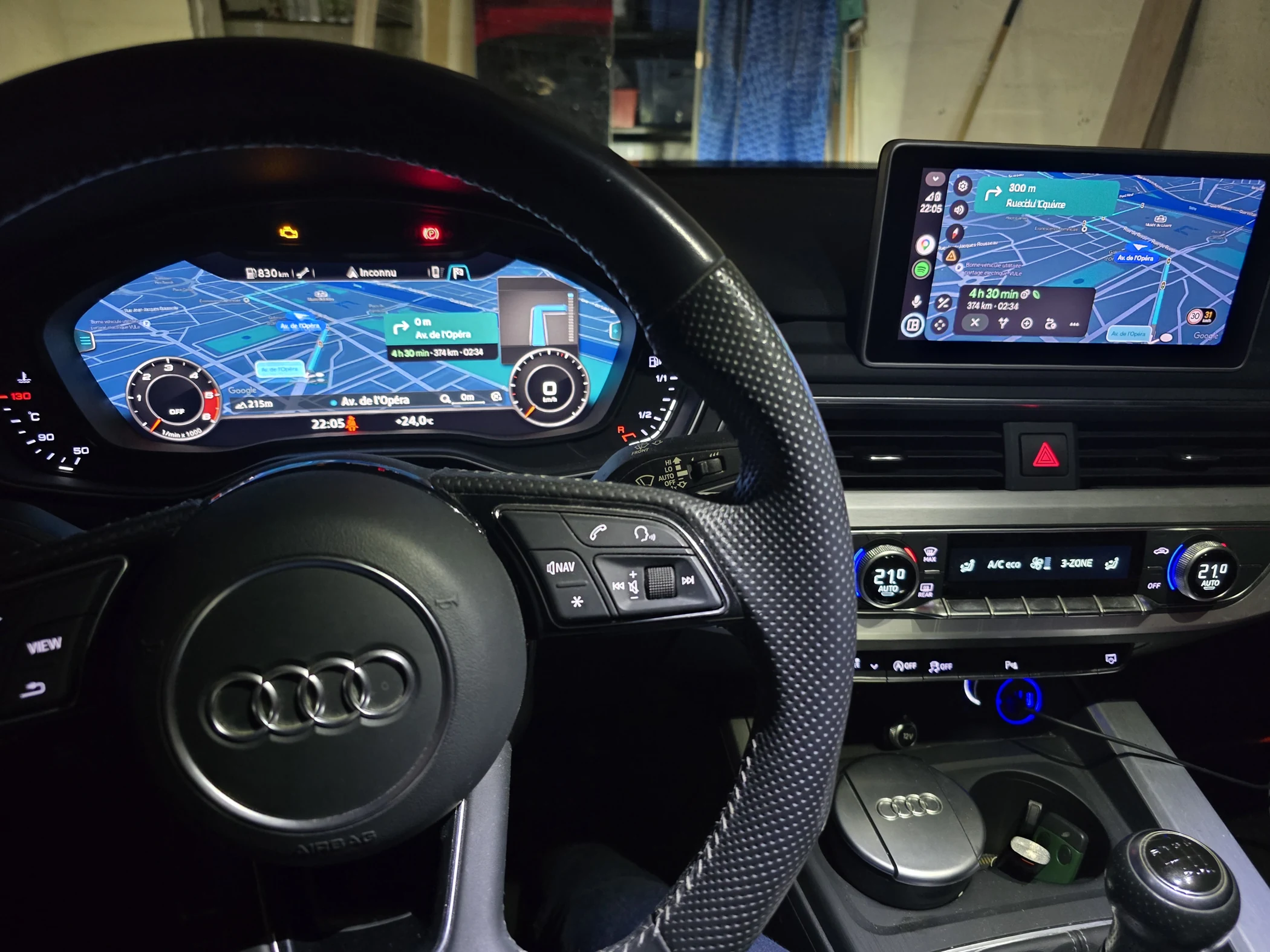
CARPLAY & ANDROID AUTO
Navigation and turn guidance on the cockpit display, with your phone’s music and CarPlay calls in the original Audi menus.
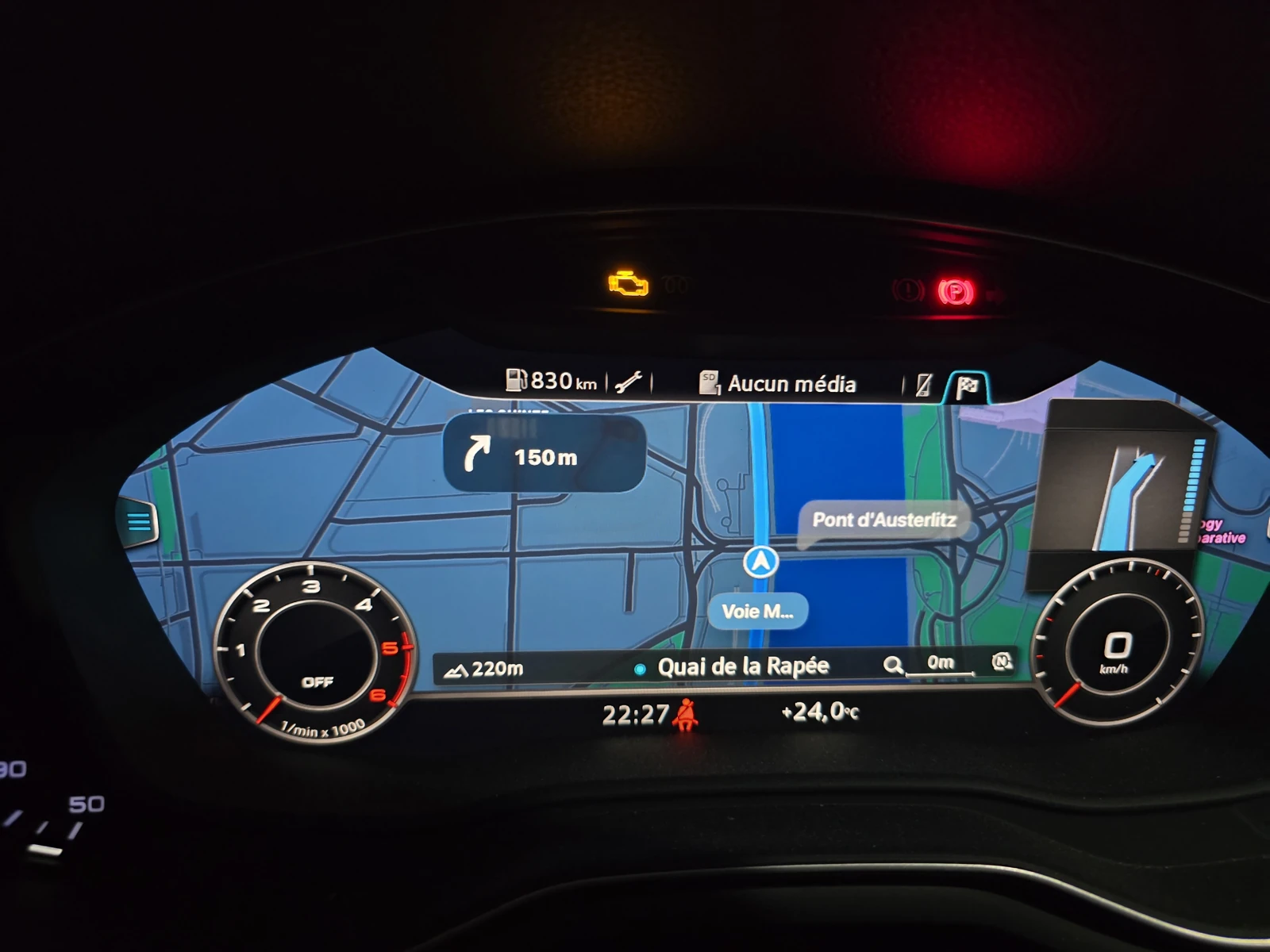
Turn cards, the next street and the remaining distance appear in the original navigation area.
Use the normal, sport or extended layout. Switch between phone navigation and the original Audi map.
Adjust the CarPlay map zoom using the steering-wheel scroll wheel. This zoom control is not available in Android Auto.
View incoming calls and answer or reject them from the cockpit phone menu. Activate Siri with one press of the steering-wheel voice button.
FACTORY HEAD-UP DISPLAY
CarPlay and Android Auto turn guidance also appears on your Audi’s head-up display, alongside navigation in the Virtual Cockpit.
For vehicles equipped with a compatible factory HUD.
Check your setupCUSTOMER INSTALLATIONS
Dozens of successful installations.
CHECK BEFORE YOU BUY
Available for MHI2Q and supported MHI2 systems in the A3 8V, Q2, TT and R8, plus MHI2 AUG22 configurations. A compatible Audi Virtual Cockpit is required.
Compatibility depends on the exact MMI software version. Send a photo of the complete version screen before ordering.
Some wireless CarPlay and Android Auto adapters do not work with RoadKernel.
Check my AudiOnly the listed MHI2 configurations are offered. Other MHI2 families, MH2p and MIB3 are not supported. TT and R8 use the cockpit display without a separate centre screen.
SD CARD INSTALLATION
Install from an SD card using the Audi software update menu.
Send a photo of your MMI software version before ordering.
After payment, activate your portal account and download the package prepared for your vehicle. Follow the supplied SD card instructions.
Your RoadKernel account contains your downloads and support chat. A rollback package is included.
CUSTOMER FEEDBACK
Product details and questions in the original post, plus a customer’s installation report.
Yes. CarPlay and Android Auto are included in the same installation on supported systems. CarPlay map zoom can be controlled with the steering-wheel scroll wheel; Android Auto does not support that zoom control.
Yes. With CarPlay connected, incoming calls appear in the Virtual Cockpit’s original phone menu, where you can answer or reject them using the car’s controls. A single press of the steering-wheel voice button activates Siri.
Some wireless CarPlay and Android Auto adapters do not work with RoadKernel.
On cars with a separate centre screen, yes. It remains available for media, another app or the original Audi menus while navigation is shown in the cockpit. TT and R8 use the cockpit display without a separate centre screen.
This is a software installation for compatible factory equipment. You need a compatible Virtual Cockpit and a supported MHI2Q or MHI2 system, plus an SD card for installation. Supported MHI2 configurations cover the A3 8V, Q2, TT, R8 and AUG22 systems listed above. Contact us to confirm your setup.
A rollback package is included. Follow the instructions supplied with your package to restore the original setup.
You receive an activation code for your RoadKernel account. Your vehicle’s downloads, support chat and bug reports are available in the client portal.
Yes. CarPlay and Android Auto turn guidance is supported on compatible factory head-up displays. Your car must already be equipped with a HUD. Navigation remains available in the Virtual Cockpit.
ROADKERNEL FOR AUDI
CarPlay + Android Auto, with HUD guidance on equipped cars.
Installation, rollback and support in your client portal.